bar_height_padding
Description
타임라인에서 bar_height가 "full"로 설정될 때 작업 막대 주위의 여백을 조정합니다
bar_height_padding: number
Example
gantt.config.bar_height_padding = 5;
gantt.init("gantt_here");
Default value: 9
Details
The bar_height_padding config defines the vertical padding for task bars in the timeline when gantt.config.bar_height is set to "full". The height of a task bar is calculated as gantt.config.row_height - gantt.config.bar_height_padding.
- Setting this config to
0will make the task bars occupy the full height of the row. - Increasing the value adds more space above and below the bars.
The example below shows a smaller padding value, which leaves less space around the task bars:
gantt.config.bar_height_padding = 3;
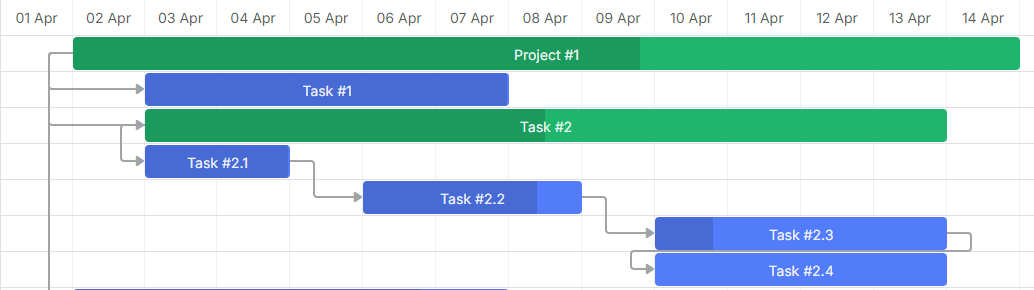
In this example, a larger padding value leaves more empty space above and below the task bars:
gantt.config.bar_height_padding = 14;
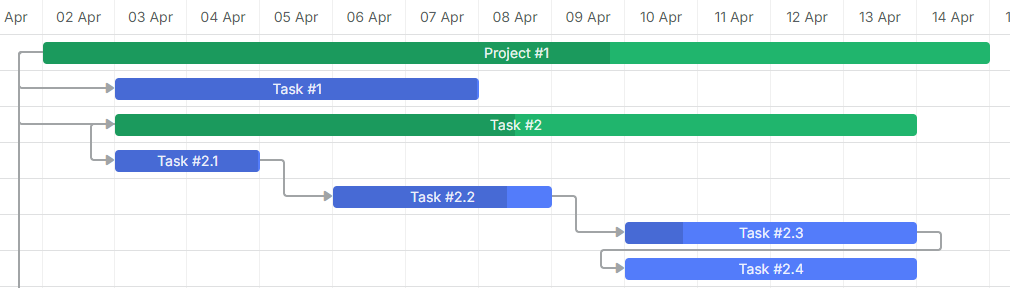
Related API
Change log
- v9.0에서 추가됨
Need help?
Got a question about the documentation? Reach out to our technical support team for help and guidance. For custom component solutions, visit the Services page.