未排程的任务
有可能在甘特图中添加没有日期的任务。
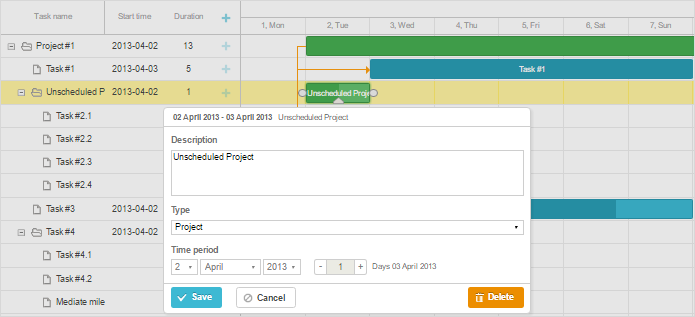
可以通过在任务描述中将 unscheduled 属性设置为 true 来实现:
{"id":1, "text":"Project #1", "type":"project", "progress": 0.6, "open": true},
{"id":2, "text":"Task #1", "unscheduled":false, "start_date":"02-04-2019", "parent":"1"},
{"id":3, "text":"Task #2", "unscheduled":true,"start_date":"","duration":"","parent":"1"}
因此,id 为 3 的任务将被添加到甘特图中但没有开始日期,并显示为空行。
若要显示未排程的任务,请将配置参数 show_unscheduled 设置为 false:
gantt.config.show_unscheduled = false;
请注意,甘特图将为未排程的任务分配默认日期。这意味着此类任务对象的 start_date/end_date 属性不会为空:
var task = gantt.getTask(3);
console.log(task.unscheduled);
// true

console.log(task.start_date);
// Tue Jun 25 2019 18:42:50
Need help?
Got a question about the documentation? Reach out to our technical support team for help and guidance. For custom component solutions, visit the Services page.