RTL(오른쪽에서 왼쪽으로) 모드
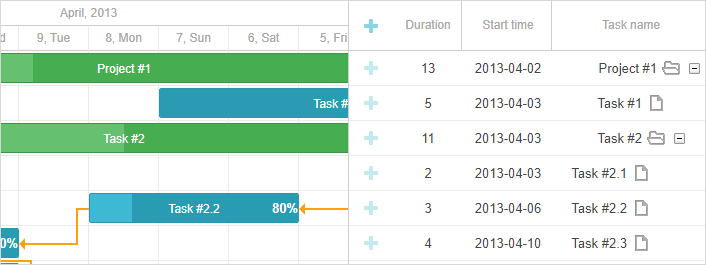
Gantt 차트를 오른쪽에서 왼쪽으로 동작하는 모드에서 사용할 수 있으며, 이 모드는 rtl 구성 옵션으로 활성화됩니다. 이를 true로 설정하면 타임라인의 시간 축 방향과 그리드의 행 순서가 오른쪽에서 왼쪽으로 변경됩니다.
gantt.config.rtl = true;
rtl 모드를 활성화해도 gantt의 gantt.config.layout은 영향을 받지 않으므로 그리드와 타임라인의 위치를 서로 바꾸려면 이를 다시 정의해야 합니다. 아래와 같은 방식으로 수행됩니다:
gantt.config.layout = {
    css: "gantt_container",
    rows: [
        {
            cols: [
                {view: "scrollbar", id: "scrollVer"},
                {view: "timeline", scrollX: "scrollHor", scrollY: "scrollVer"},
                {resizer: true, width: 1},
                {view: "grid", scrollX: "scrollHor", scrollY: "scrollVer"}
            ]
        },
        {view: "scrollbar", id: "scrollHor", height: 20}
    ]
};
또한 gantt에서 사용되는 레이블의 텍스트 방향을 설정하려면 gantt에서 사용되는 레이블의 텍스트 방향을 설정하려면 를 참조하세요.
Need help?
Got a question about the documentation? Reach out to our technical support team for help and guidance. For custom component solutions, visit the Services page.