皮肤
dhtmlxGantt 提供了多种预定义皮肤,您可以用它们来改变甘特图的整体外观:
从 v9.0 开始,所有皮肤都打包在主文件 dhtmlxgantt.css 中。可以通过设置 gantt.skin 属性来激活皮肤:
gantt.skin = "dark";
或通过调用 gantt.setSkin() 方法:
gantt.setSkin("dark");
在 Gantt v8.0 及更早版本中,皮肤在独立的 CSS 文件中定义。
使用字体
默认情况下,皮肤从 https://fonts.googleapis.com 导入 Inter 字体。有关 Google 字体的更多信息,请参阅这里。
@import (css) url(
'https://fonts.googleapis.com/css2?family=Inter:wght@300;400;500;600;700;800&display=swap'
);
如有需要,您可以直接从 codebase/sources/less/ 文件夹中的 .less 文件中移除该字体,然后按照 Skins Customization 文章中所述重新构建皮肤。
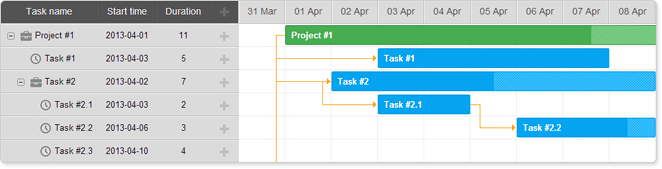
'Terrace' skin
要应用默认皮肤,请包含默认的 CSS 文件:
- dhtmlxgantt.css
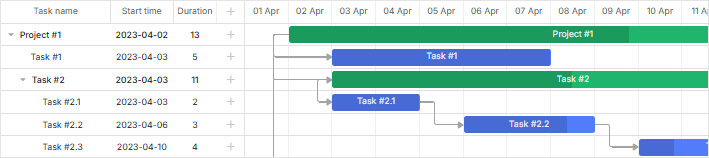
'Dark' skin
要应用 'Dark' 皮肤,请包含默认的 CSS 文件:
- dhtmlxgantt.css
并通过 gantt.skin 属性设置皮肤:
gantt.skin = "dark";
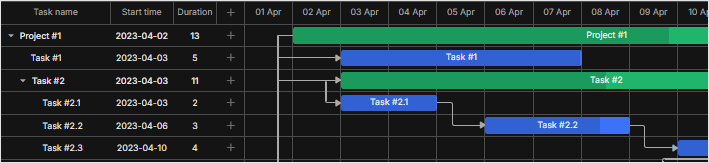
'Material' skin
要应用 'Material' 皮肤,请包含默认的 CSS 文件:
- dhtmlxgantt.css
并通过 gantt.skin 属性设置皮肤:
gantt.skin = "material";
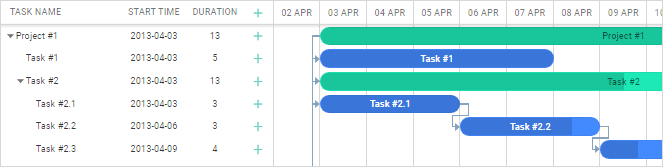
从 v6.3 开始,Material 皮肤中已移除了 Roboto 字体的导入。如有需要,可以按如下方式手动添加 Roboto 字体:
<link rel="stylesheet" href="'https://fonts.googleapis.com/css?'+
    +'family="Open+Sans|Roboto:regular,medium,thin,bold"'">
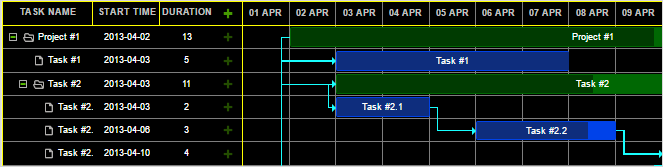
'Contrast Black' skin
要应用 'Contrast Black' 皮肤,请包含默认的 CSS 文件:
- dhtmlxgantt.css
并通过 gantt.skin 属性设置皮肤:
gantt.skin = "contrast-black";
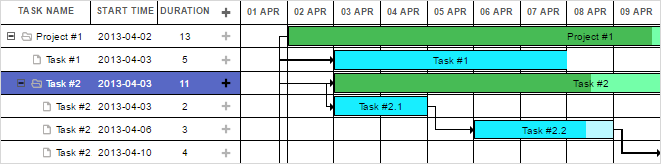
'Contrast White' skin
要应用 'Contrast White' 皮肤,请包含默认的 CSS 文件:
- dhtmlxgantt.css
并通过 gantt.skin 属性设置皮肤:
gantt.skin = "contrast-white";
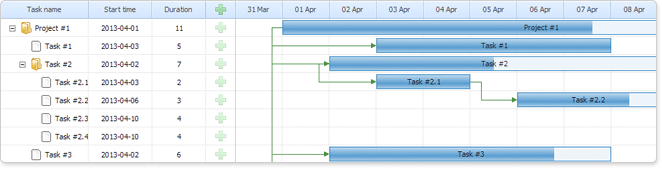
'Skyblue' skin
要应用 'Skyblue' 皮肤,请包含默认的 CSS 文件:
- dhtmlxgantt.css
并通过 gantt.skin 属性设置皮肤:
gantt.skin = "skyblue";
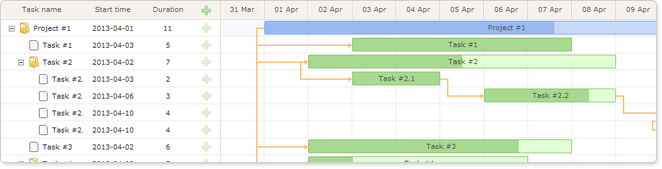
'Meadow' skin
要应用 'Meadow' 皮肤,请包含默认的 CSS 文件:
- dhtmlxgantt.css
并通过 gantt.skin 属性设置皮肤:
gantt.skin = "meadow";
'Broadway' skin
要应用 'Broadway' 皮肤,请包含默认的 CSS 文件:
- dhtmlxgantt.css
并通过 gantt.skin 属性设置皮肤:
gantt.skin = "broadway";