Textarea Control
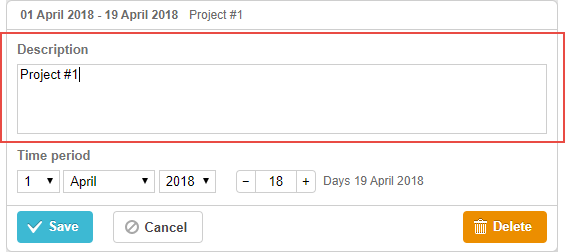
A multiline text field.
Initialization
One textarea control is added to the lightbox by default. To add another one, follow the steps below:
- Add a section to the lightbox configuration:
gantt.config.lightbox.sections = [
    { name: "description", height: 38, map_to: "desc", type: "textarea", focus: true },
    { name: "details",     height: 38, map_to: "text", type: "textarea" },
    { name: "time",        height: 72, map_to: "auto", type: "duration" }
];
- Set a label for the section:
gantt.locale.labels.section_details = "Details";
Properties
The following properties are mostly important and commonly set for the textarea control (see the full list here):
- name - (string) the section name
- height - (number) the section height
- map_to - (string) the name of a data property that will be mapped to the section
- type - (string) the type of the section control
- focus - (boolean) if set to true, the section will take focus on opening the lightbox
- default_value - (any) the default value of the section's control. Applied only if the input value is underfined. Won't work with map_to:"text"
Need help?
Got a question about the documentation? Reach out to our technical support team for help and guidance. For custom component solutions, visit the Services page.