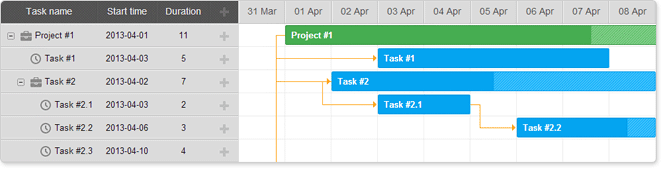
Skins
dhtmlxGantt provides several predefined skins that you can use to change the overall look of the Gantt chart:
Starting from v9.0, all skins are bundled in the main dhtmlxgantt.css file. A skin can be activated by setting the gantt.skin property:
gantt.skin = "dark";
Or by calling the gantt.setSkin() method:
gantt.setSkin("dark");
In Gantt v8.0 and earlier skins are defined in separate CSS files.
Using fonts
By default, skins import the Inter font from https://fonts.googleapis.com. Read more about Google Fonts here.
@import (css) url(
'https://fonts.googleapis.com/css2?family=Inter:wght@300;400;500;600;700;800&display=swap'
);
If necessary, you can remove the font directly from .less files in the codebase/sources/less/ folder and then rebuild the skin as described in the Skins Customization article.
'Terrace' skin
To apply the default skin, include the default CSS file:
- dhtmlxgantt.css
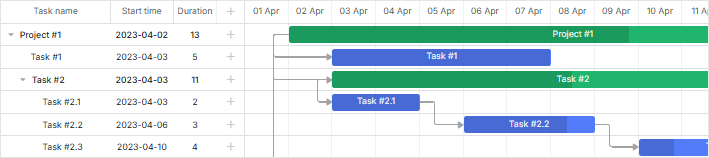
'Dark' skin
To apply the 'Dark' skin, include the default CSS file:
- dhtmlxgantt.css
And set the skin via the gantt.skin property:
gantt.skin = "dark";
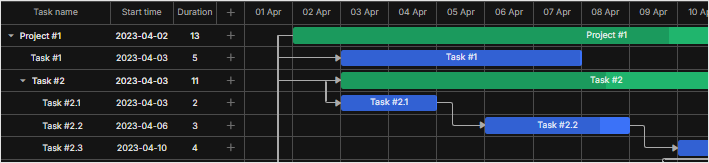
'Material' skin
To apply the 'Material' skin, include the default CSS file:
- dhtmlxgantt.css
And set the skin via the gantt.skin property:
gantt.skin = "material";
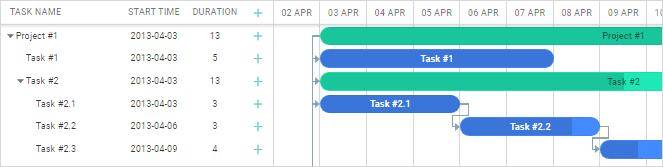
Starting from v6.3, the import of Roboto font was removed from the Material skin. If necessary, you can add Roboto font manually, as in:
<link rel="stylesheet" href="'https://fonts.googleapis.com/css?'+
    +'family="Open+Sans|Roboto:regular,medium,thin,bold"'">
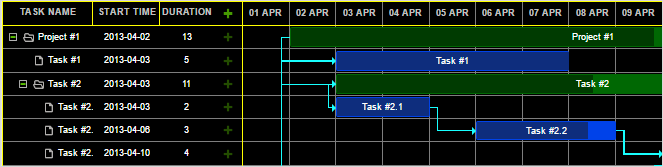
'Contrast Black' skin
To apply the 'Contrast Black' skin, include the default CSS file:
- dhtmlxgantt.css
And set the skin via the gantt.skin property:
gantt.skin = "contrast-black";
'Contrast White' skin
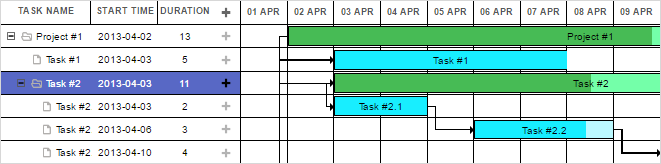
To apply the 'Contrast White' skin, include the default CSS file:
- dhtmlxgantt.css
And set the skin via the gantt.skin property:
gantt.skin = "contrast-white";
'Skyblue' skin
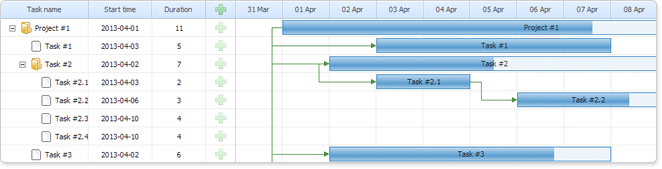
To apply the 'Skyblue' skin, include the default CSS file:
- dhtmlxgantt.css
And set the skin via the gantt.skin property:
gantt.skin = "skyblue";
'Meadow' skin
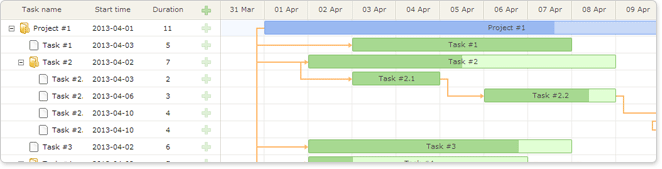
To apply the 'Meadow' skin, include the default CSS file:
- dhtmlxgantt.css
And set the skin via the gantt.skin property:
gantt.skin = "meadow";
'Broadway' skin
To apply the 'Broadway' skin, include the default CSS file:
- dhtmlxgantt.css
And set the skin via the gantt.skin property:
gantt.skin = "broadway";