RTL(从右到左)模式
你可以通过 rtl 配置项 启用调度程序的 RTL 模式。
scheduler.config.rtl = true;
实现 RTL 模式后,日历的所有元素将自动从右到左显示,除了调度程序头部的元素。
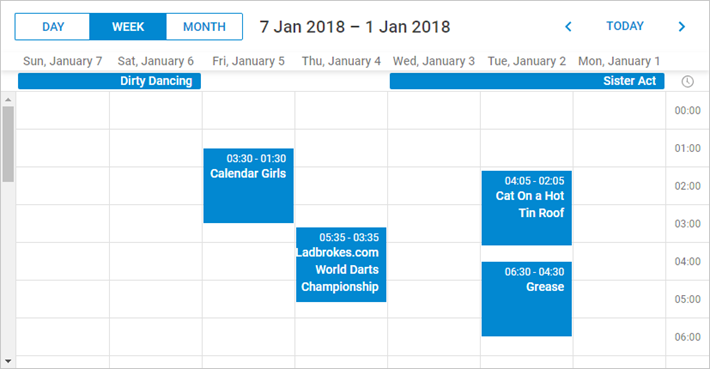
要重新排序调度程序头部的元素,你需要重新定义元素的 CSS 类,如下所示:
<style type="text/css" >
    html, body{
        margin:0px;
        padding:0px;
        height:100%;
        overflow:hidden;
    }

      .dhx_cal_prev_button{right: auto !important; left: 16px !important;}
      .dhx_cal_next_button{right: auto !important; left: 148px !important;}
      .dhx_cal_today_button{right: auto !important; left: 57px !important;}
      .dhx_cal_tab[name="day_tab"]{left: auto !important; right: 16px !important;}
      .dhx_cal_tab[name="week_tab"]{left: auto !important; right: 103px !important;}
      .dhx_cal_tab[name="month_tab"]{left: auto !important; right: 192px !important;}
      .dhx_cal_container_rtl  .dhx_cal_tab {
        border-right-style: solid;
        border-right-width: 1px;
       }
</style>
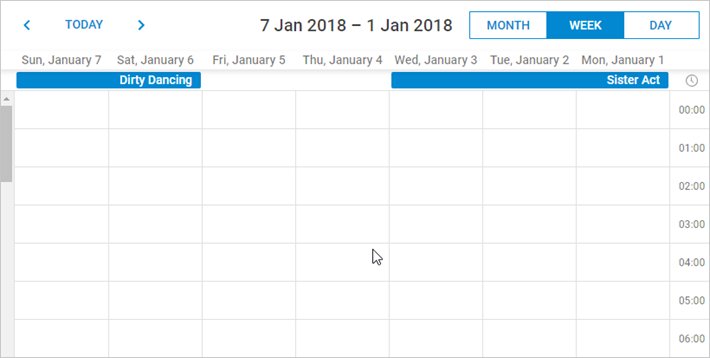
RTL 模式示例
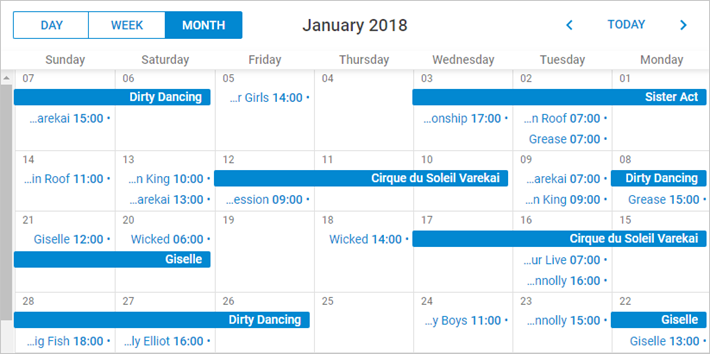
在 RTL 模式下的月视图让我们看看在 RTL 模式下 Month View 的外观。事件的标题和详情现在位于事件框的右侧。
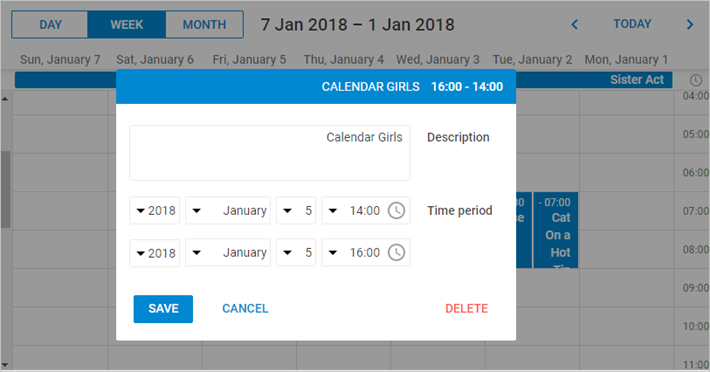
下图给出一个很好的示例,展示应用 RTL 模式后,具有事件详情的窗口外观如何变化。
RTL 模式会自动将调度程序中的时间线从右向左排列。
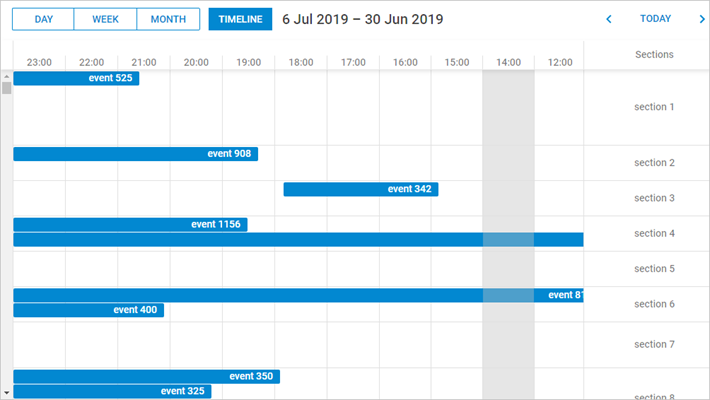
在 RTL 模式下自定义元素
你可以使用额外的 CSS 类,在 RTL 模式下为各个元素应用独特的样式。
以下是可设置的 CSS 类列表:
- dhx_cal_container_rtl - 将样式应用于整个容器
- dhx_tooltip_rtl - 将样式应用于工具提示
- dhx_quick_info_rtl - 将样式应用于“快速信息”弹出
- dhx_cal_light_rtl - 将样式应用于灯箱
例如:
.dhx_cal_container_rtl .dhx_cal_event{
    margin-right: -5px;
}
调度程序容器中的所有事件将向右移动 5px。
Need help?
Got a question about the documentation? Reach out to our technical support team for help and guidance. For custom component solutions, visit the Services page.