RTL(从右到左)模式
调度器支持 RTL(从右到左)模式,可以通过使用 rtl 配置选项 启用。
scheduler.config.rtl = true;
启用 RTL 模式后,日历元素将默认从右向左显示,但调度器头部元素除外。
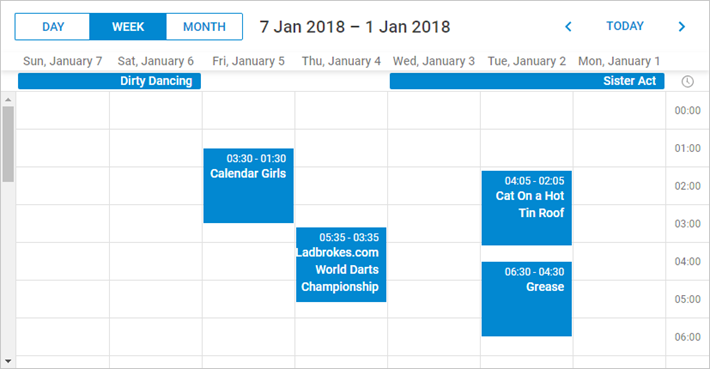
如需调整调度器头部元素的排列顺序,需要自定义它们的 CSS 类,如下所示:
<style type="text/css" >
    html, body{
        margin:0px;
        padding:0px;
        height:100%;
        overflow:hidden;
    }

      .dhx_cal_prev_button{right: auto !important; left: 16px !important;}
      .dhx_cal_next_button{right: auto !important; left: 148px !important;}
      .dhx_cal_today_button{right: auto !important; left: 57px !important;}
      .dhx_cal_tab[name="day_tab"]{left: auto !important; right: 16px !important;}
      .dhx_cal_tab[name="week_tab"]{left: auto !important; right: 103px !important;}
      .dhx_cal_tab[name="month_tab"]{left: auto !important; right: 192px !important;}
      .dhx_cal_container_rtl  .dhx_cal_tab {
        border-right-style: solid;
        border-right-width: 1px;
       }
</style>
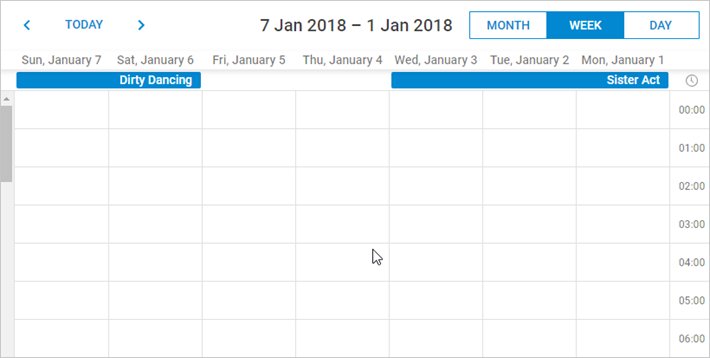
RTL 模式示例
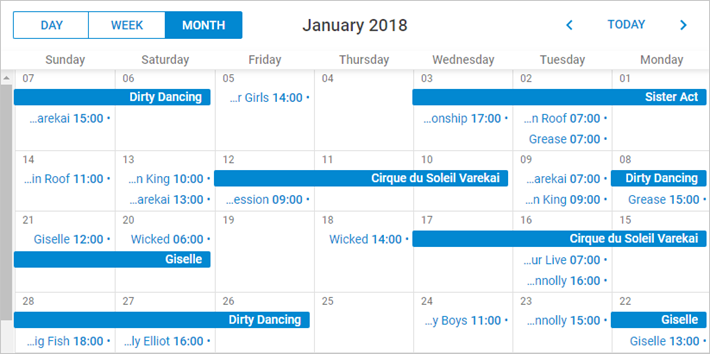
月视图下的 RTL 模式下图展示了在 RTL 模式下的月视图。事件标题和详情现在都靠事件框的右侧对齐。
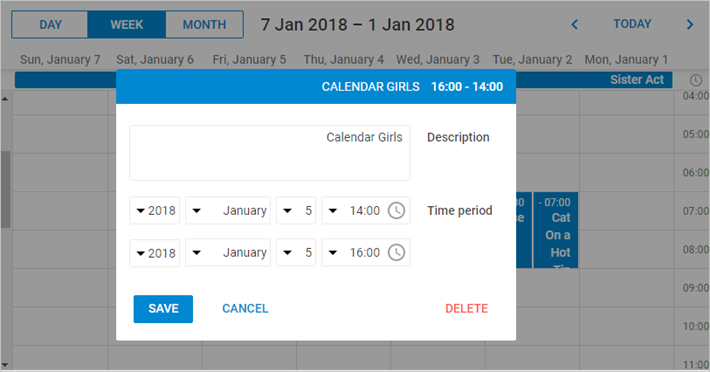
下图展示了在应用 RTL 模式后,事件详情窗口的视觉变化。
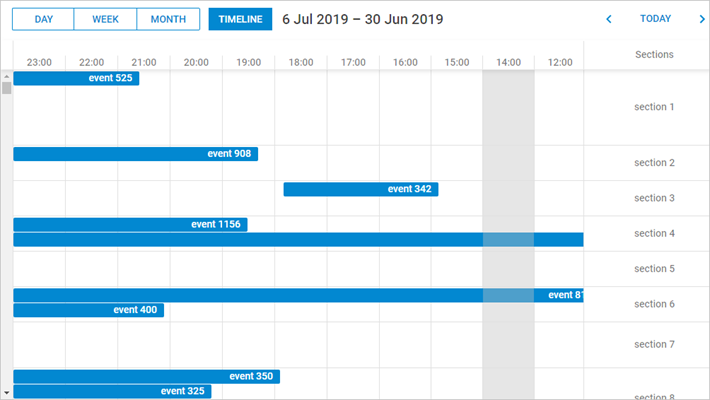
在 RTL 模式下,时间轴会自动从右向左排列在调度器中。
在 RTL 模式下自定义元素
为帮助在 RTL 模式下对特定元素进行个性化样式设置,提供了额外的 CSS 类。
可以使用以下类:
- dhx_cal_container_rtl - 作用于整个调度器容器
- dhx_tooltip_rtl - 作用于提示信息元素
- dhx_quick_info_rtl - 作用于"快速信息"弹窗
- dhx_cal_light_rtl - 作用于 lightbox
例如:
.dhx_cal_container_rtl .dhx_cal_event{
    margin-right: -5px;
}
这会将所有调度器事件在容器内向右移动 5px。
Need help?
Got a question about the documentation? Reach out to our technical support team for help and guidance. For custom component solutions, visit the Services page.