dhtmlxGantt 与 Vue.js
本教程演示如何在 Vue 应用中直接使用 JS DHTMLX Gantt 包,而不使用官方包装器。
如果你需要 Vue 的 props/事件、包装器管理的同步,以及包装器组合式工具,请改用 Vue Gantt。
本页面用于低级集成。你需要自行初始化并管理 Gantt 实例。
前提条件
- 已安装 Node.js
- 对 Vue 3 的基本知识(组件、refs、生命周期钩子)
- 一个 Vue 3 项目(本教程演示如何使用 Vite 创建一个)
1. 创建一个 Vue 项目
使用 Vite 创建一个 Vue 3 应用:
npm create vue@latest gantt-vue-app
cd gantt-vue-app
安装依赖并首次启动开发服务器以确认项目可用:
- npm:
npm install
npm run dev
- yarn:
yarn install
yarn dev
应用应可在 http://localhost:5173 访问。
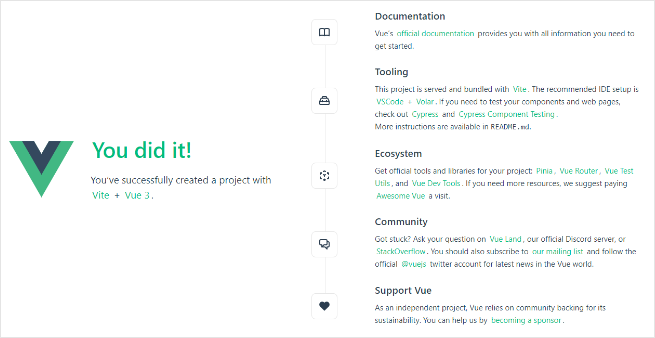
在进行下一步之前,先停止开发服务器(按 Ctrl+C)。
2. 安装 JS Gantt 包
通过私有 npm 提供 JS Gantt 库的专业构建。请按照 installation guide 以获取访问权限。
评估构建(公开的教程包):
- npm:
npm install @dhx/trial-gantt
- yarn:
yarn add @dhx/trial-gantt
专业构建(私有 npm):
- npm:
npm install @dhx/gantt
- yarn:
yarn add @dhx/gantt
你也可以 从本地文件夹安装 Gantt,因为该包被组织为一个 npm 模块。
3. 创建一个 Gantt 组件
创建 src/components/GanttView.vue,并在 Vue 的生命周期钩子中初始化 Gantt。
如果你安装了评估构建,请使用以下导入:
<script setup lang="ts">
import { onBeforeUnmount, onMounted, ref } from "vue";
import { Gantt, type GanttStatic } from "@dhx/trial-gantt";
import "@dhx/trial-gantt/codebase/dhtmlxgantt.css";

const container = ref<HTMLElement | null>(null);
let gantt: GanttStatic | null = null;

onMounted(() => {
  if (!container.value) return;

  gantt = Gantt.getGanttInstance();
  gantt.init(container.value);
});

onBeforeUnmount(() => {
  gantt?.destructor();
  gantt = null;
});
</script>

<template>
  <div ref="container" className="gantt-host"></div>
</template>

<style>
.gantt-host {
  width: 100%;
  height: 600px;
}
</style>
如果你安装的是专业构建,请替换包导入:
import { Gantt, type GanttStatic } from "@dhx/gantt";
import "@dhx/gantt/codebase/dhtmlxgantt.css";
如果你是从本地文件夹安装 Gantt,导入通常如下所示:
import { Gantt, type GanttStatic } from "dhtmlx-gantt";
import "dhtmlx-gantt/codebase/dhtmlxgantt.css";
4. 在应用中渲染 Gantt 组件
替换 src/App.vue:
<script setup lang="ts">
import GanttView from "./components/GanttView.vue";
</script>

<template>
  <GanttView />
</template>
为了让图表使用页面高度,请更新全局样式(例如 src/assets/main.css):
html,
body,
#app {
  width: 100%;
  height: 100vh;
  margin: 0;
  padding: 0;
}
再次启动应用。你应该会看到一个空的 Gantt 图。
5. 提供数据
创建 src/demo-data.ts:
export function getData() {
  return {
    data: [
      {
        id: 10,
        text: "Project #1",
        start_date: "2026-02-02 00:00",
        duration: 6,
        progress: 0.4,
        open: true
      },
      {
        id: 1,
        text: "Task #1",
        start_date: "2026-02-02 00:00",
        duration: 2,
        progress: 0.6,
        parent: 10
      },
      {
        id: 2,
        text: "Task #2",
        start_date: "2026-02-04 00:00",
        duration: 3,
        progress: 0.2,
        parent: 10
      }
    ],
    links: [{ id: 1, source: 1, target: 2, type: "0" }]
  };
}
更新 src/components/GanttView.vue 并解析数据:
<script setup lang="ts">
import { onBeforeUnmount, onMounted, ref } from "vue";
import { Gantt, type GanttStatic } from "@dhx/trial-gantt";
import "@dhx/trial-gantt/codebase/dhtmlxgantt.css";
import { getData } from "../demo-data";

const container = ref<HTMLElement | null>(null);
let gantt: GanttStatic | null = null;

onMounted(() => {
  if (!container.value) return;

  gantt = Gantt.getGanttInstance();
  gantt.config.date_format = "%Y-%m-%d %H:%i";
  gantt.init(container.value);
  gantt.parse(getData());
});

onBeforeUnmount(() => {
  gantt?.destructor();
  gantt = null;
});
</script>

<template>
  <div ref="container" className="gantt-host"></div>
</template>

<style>
.gantt-host {
  width: 100%;
  height: 600px;
}
</style>
重新加载页面。你应该会看到具有任务和依赖链接的 Gantt 图。
6. 捕获并保存更改
使用 dataProcessor 来处理图表的变更并将其发送到后端。
在 gantt.init(...) 之后添加处理程序:
gantt.createDataProcessor((entity, action, data, id) => {
  console.log("[dp]", entity, action, data, id);
});
DHTMLX Gantt 接受来自 dataProcessor 处理程序的 Promise 响应。如果后端在创建时更改了 ID,请返回类似 { id: newId } 或 { tid: newId } 的对象,以便 Gantt 能够重新映射记录。
如需完整的后端模式,请参见 server-side integration。
结果
现在你拥有一个具有直接 JS Gantt 集成的 Vue 应用:
- Vue 拥有组件生命周期的管理
- 你的代码初始化并销毁 Gantt 实例
- 数据通过
gantt.parse(...)加载 - 可以通过
gantt.createDataProcessor(...)处理编辑
安全说明
Gantt 不会保护你的后端免受 SQL 注入、XSS 或 CSRF 的影响。后端验证、授权以及输出净化仍然是你的责任。
请查阅 Application Security 以了解主要风险领域和缓解建议。