dhtmlxGantt 与 Angular
要使用本教程,你需要熟悉 Angular 的基本概念和模式。如果你还不熟悉,请参考 Angular 文档 以获取入门教程。
DHTMLX Gantt 与 Angular 兼容。你可以在 GitHub 上查看对应的示例:DHTMLX Gantt with Angular Demo。
创建一个项目
在开始创建新项目之前,请安装 Angular CLI 和 Node.js。
ng new my-angular-gantt-app
上述命令将安装所有必要的工具和依赖项,因此你无需执行任何额外命令。
依赖项的安装
之后进入应用目录,运行:
cd my-angular-gantt-app
然后使用以下任一命令运行应用程序:
yarn start
或
npm start
现在应用应该在 http://localhost:4200 上运行。
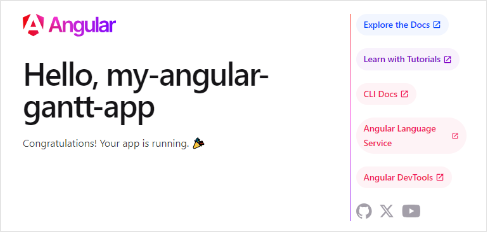
创建 Gantt
现在我们需要获取 DHTMLX Gantt 的代码。首先,我们需要通过命令行停止应用程序。然后可以继续安装 Gantt 包。
第 1 步. 包安装
库的 PRO 版本可通过私有仓库进行 npm/yarn 安装,请按照 this instruction 以获得访问权限。
获得 Gantt 的 Evaluation 版本后,可以使用以下命令安装:
- 对于 npm:
npm install @dhx/trial-gantt
- 对于 yarn:
yarn add @dhx/trial-gantt
另外,由于该库的 zip 包被结构化为一个 npm 模块,你也可以 从本地文件夹安装。
第 2 步. 组件创建
现在我们应该创建一个组件,将 Gantt 添加到应用中。让我们在 src/app/ 目录中创建 gantt 文件夹,在其中新增两 个文件并命名为 gantt.component.ts 和 gantt.component.css。
导入源文件
打开 gantt.component.ts 文件并导入 Gantt 的源文件。请注意:
- 如果你是从本地文件夹安装的 Gantt 包,那么导入路径将类似于:
import { Gantt } from 'dhtmlx-gantt';
@import "@dhtmlx-gantt/codebase/dhtmlxgantt.css";
- 如果你选择安装试用版,导入路径应为:
import { Gantt } from '@dhx/trial-gantt';
@import "@dhx/trial-gantt/codebase/dhtmlxgantt.css";
在本教程中,我们将使用 Gantt 的 trial 版本。
在 gantt 文件夹中新创建的 gantt.component.ts 文件将包含 Gantt 的模板。让我们将以下代码添加到其中:
import { Component, ElementRef, OnInit,
    ViewChild, ViewEncapsulation } from '@angular/core';
import { Gantt, GanttStatic } from "@dhx/trial-gantt";

@Component({
    encapsulation: ViewEncapsulation.None,
    selector: 'gantt',
    styleUrls: ['./gantt.component.css'],
    template: `<div #gantt_here className='gantt-chart'></div>`,
})
export class GanttComponent implements OnInit {
    @ViewChild('gantt_here', { static: true }) ganttContainer!: ElementRef;
    private _gantt?: GanttStatic;

    ngOnInit() {
        let gantt = Gantt.getGanttInstance();
        gantt.init(this.ganttContainer.nativeElement);

        this._gantt = gantt;
    }
    ngOnDestroy() {
        if (this._gantt) this._gantt.destructor();
    }
}
在上述代码中,我们使用了 Angular 的 ngOnInit() 方法,并同样指定了包含 gantt.destructor() 调用的 ngOnDestroy() 方法,以在不再需要组件时清理它。
我们将把 Gantt 的样式声明在一个单独的文件 gantt.component.css 中。默认样式可能看起来像这样:
@import "@dhx/trial-gantt/codebase/dhtmlxgantt.css";
.gantt-chart {
    position: relative;
    width: 100%;
    height: 600px;
}
第 3 步. 将 Gantt 添加到应用中
现在是将组件添加到应用中的时机。打开 src/app/app.component.ts,用 Gantt 组件替换默认内容,插入以下代码:
import { Component } from '@angular/core';

@Component({
  selector: 'app-root',
  templateUrl: './app.component.html',
  styleUrls: ['./app.component.css']
})
export class AppComponent {
  title = 'DHTMLX Gantt with Angular';
}
接着在 src/app/ 目录中创建 app.module.ts 文件,并将 GanttComponent 作为提供者如下添加:
import { NgModule } from "@angular/core";
import { BrowserModule } from "@angular/platform-browser";

import { AppComponent } from "./app.component";
import { GanttComponent } from './gantt/gantt.component';

@NgModule({
  declarations: [AppComponent, GanttComponent],
  imports: [BrowserModule],
  providers: [],
  bootstrap: [AppComponent],
})
export class AppModule {}
打开 src/app/app.component.html 文件,将默认内容替换为以下代码:
<gantt></gantt>
最后一步是打开 src/main.ts 文件,用以下代码替换现有代码:
import { platformBrowserDynamic } from "@angular/platform-browser-dynamic";
import { AppModule } from "./app/app.module";

platformBrowserDynamic()
  .bootstrapModule(AppModule)
  .catch((err) => console.error(err));
之后,当我们启动应用时,应该会在页面上看到一个空的 Gantt:

第 4 步. 提供数据
要为 Angular Gantt 添加数据加载,您需要添加任务和链接服务。不过在此之前,让我们先定义任务和链接模型。
要创建任务和链接模型,运行以下命令:
ng generate class models/task --skip-tests
ng generate class models/link --skip-tests
在新创建的 models/task.ts 文件中,我们将添加如下代码:
export class Task {
    id!: number;
    start_date!: string;
    text!: string;
    progress!: number;
    duration!: number;
    parent!: number;
}
在新创建的 models/link.ts 文件中,我们将添加如下代码:
export class Link {
     id!: number;
    source!: number;
    target!: number;
    type!: string;
}
现在让我们创建任务和链接服务。服务是一个用于创建特定任务或链接的类。Angular 中的服务可以通过依赖注入机制进行注入。它们可以包含数据、函数或应用所需的一些功能。你需要创建一个数据服务,用于向 Gantt 提供任务和链接。
要创建任务和链接服务,运行以下命令:
ng generate service services/task --flat --skip-tests
ng generate service services/link --flat --skip-tests
在新创建的 services/task.service.ts 文件中添加如下代码:
import { Injectable } from '@angular/core';
import { Task } from '../models/task';

@Injectable()
export class TaskService {
    get(): Promise<Task[]>{
        return Promise.resolve([
            { id: 1, text: 'Task #1', start_date: '2023-04-15 00:00',
                duration: 3, progress: 0.6, parent: 0 },
            { id: 2, text: 'Task #2', start_date: '2023-04-18 00:00',
                duration: 3, progress: 0.4, parent: 0 }
        ]);
    }
}
在 services 文件夹中的 link.service.ts 文件中添加如下代码:
import { Injectable } from '@angular/core';
import { Link } from '../models/link';

@Injectable()
export class LinkService {
    get(): Promise<Link[]> {
        return Promise.resolve([
            { id: 1, source: 1, target: 2, type: '0' }
        ]);
    }
}
我们已在服务中添加了 @Injectable() 装饰器。它将类标记为可被注入器实例化的对象。稍后我们将把它注入到组件中。
目前,get() 方法返回一个已解析的 Promise,数据为硬编码的。当然,你也可以从服务器端加载数据并返回一个 Promise。Gantt 组件应使用 TaskService 来获取任务,使用 LinkService 来获取链接。为启用此功能,让我们在组件中注入这两个服务。首先,在 gantt.component.ts 中导入必要的模块:
import {TaskService} from "../services/task.service";
import {LinkService} from "../services/link.service";
你还应在 @Component 装饰器中将 TaskService 和 LinkService 指定为提供者:
@Component({
    encapsulation: ViewEncapsulation.None,
    selector: 'gantt',
    styleUrls: ['./gantt.component.css'],
    providers: [TaskService, LinkService],
    template: `<div #gantt_here className='gantt-chart'></div>`,
})
现在,每次初始化一个新的 GanttComponent 时,都会创建这两个服务的新实例。为了让服务能够注入到组件中,请在 GanttComponent 类中添加以下构造函数:
constructor(private taskService: TaskService, private linkService: LinkService) { }
按如下方式修改 ngOnInit() 函数:
- 它应设置加载任务的数据格式(此处为 XML)
- 调用服务获取数据,然后等待响应并将数据放入 gantt
let gantt = Gantt.getGanttInstance();
gantt.config.date_format = '%Y-%m-%d %H:%i';
gantt.init(this.ganttContainer.nativeElement);

Promise.all([this.taskService.get(), this.linkService.get()])
    .then( ([data, links]) => {
        gantt.parse({ data, links });
    });
this._gantt = gantt;
gantt.components.ts 的完整代码将如下所示:
import { Component, ElementRef, OnInit,
    ViewChild, ViewEncapsulation } from '@angular/core';
import { TaskService } from '../services/task.service';
import { LinkService } from '../services/link.service';
import { Gantt, GanttStatic } from "@dhx/trial-gantt";

@Component({
    encapsulation: ViewEncapsulation.None,
    selector: 'gantt',
    styleUrls: ['./gantt.component.css'],
    providers: [TaskService, LinkService],
    template: `<div #gantt_here className='gantt-chart'></div>`,
})
export class GanttComponent implements OnInit {
    @ViewChild('gantt_here', { static: true }) ganttContainer!: ElementRef;
    private _gantt?: GanttStatic;
    constructor(private taskService: TaskService, private linkService: LinkService) { }

    ngOnInit() {
        let gantt = Gantt.getGanttInstance();
        gantt.config.date_format = '%Y-%m-%d %H:%i';
        gantt.init(this.ganttContainer.nativeElement);
        Promise.all([this.taskService.get(), this.linkService.get()])
            .then(([data, links]) => {
                gantt.parse({ data, links });
            });
        this._gantt = gantt;
    }
    ngOnDestroy() {
        if (this._gantt) this._gantt.destructor();
    }
}
现在,如果你重新打开应用页面,应该能看到带有任务的 Gantt:

第 5 步. 保存数据
要捕捉 Gantt 中所做的更改,你可以使用 dataProcessor 处理程序,它允许你与服务器端后端进行“通信”。处理程序可以声明为函数或路由对象。dhtmlxGantt 接受处理程序的 Promise 响应,因此你的 Gantt 将正确处理操作的完成。
你可以通过 createDataProcessor() API 方法创建一个 DataProcessor,并像下面这样捕获更改:
gantt.createDataProcessor(function(entity, action, data, id) {
gantt.message(`${entity} ${action}`);
});
如果你的服务在创建新记录后会改变任务 id(通常会这样),请确保你的 Promise 以一个包含 (id: databaseId) 或 (tid: databaseId) 作为结果的对象返回,以便 Gantt 能将新的数据库 id 应用于记录。获取关于服务器端的更多信息,请参阅服务器端指南(server side)
好了,Angular Gantt 已就绪,欢迎前往 GitHub 查看完整示例演示:DHTMLX/angular-gantt-demo。
XSS、CSRF 与 SQL 注入攻击
请注意,Gantt 不提供任何防止应用程序遭受各种威胁(如 SQL 注入、XSS 和 CSRF 攻击)的措施。保持应用安全的责任在于实现后端的开发人员。
请查阅 应用程序安全性 文章,了解该组件最易受攻击的点以及可采取的措施,以提升应用的安全性。