Integration with Svelte
This guide assumes familiarity with Svelte concepts and patterns. For background, see the Svelte documentation.
DHTMLX Kanban is compatible with Svelte. The full code example is available on GitHub.
Create a project
Set up a Svelte project in one of two ways:
- with SvelteKit — recommended
- with Svelte and Vite (without SvelteKit) — run:
npm create vite@latest
For details, see the Svelte documentation.
Install dependencies
Name the project my-svelte-kanban-app. Move into the app directory:
cd my-svelte-kanban-app
Install dependencies and start the dev server with one of the package managers:
- For yarn:
yarn
yarn start
- For npm:
npm install
npm run dev
The app runs on a localhost address (for example, http://localhost:3000).
Create Kanban
Stop the dev server and install the Kanban package.
Step 1. Install the package
Download the trial Kanban package and follow the steps in the README file. The trial version is available for 30 days.
Step 2. Create the component
Create a Svelte component that mounts Kanban and the Toolbar. Add a new Kanban.svelte file to the src/ directory.
Import source files
Open Kanban.svelte and import the Kanban source files. The import paths depend on the package version:
- For the PRO version installed from a local folder:
<script>
import { Kanban, Toolbar } from 'dhx-kanban-package';
import 'dhx-kanban-package/dist/kanban.css';
</script>
If the package ships minified source files, import the CSS file as kanban.min.css.
- For the trial version:
<script>
import { Kanban, Toolbar } from '@dhx/trial-kanban';
import '@dhx/trial-kanban/dist/kanban.css';
</script>
This tutorial uses the trial version of Kanban.
Set up containers and initialize Kanban
To display Kanban with the Toolbar, create two containers and call the constructors. The following code snippet binds the containers and instantiates the components inside onMount():
<script>
import { onMount, onDestroy } from "svelte";
import { Kanban, Toolbar } from "@dhx/trial-kanban";
import "@dhx/trial-kanban/dist/kanban.css";

let toolbar_container, kanban_container; // initialize containers for Kanban and Toolbar
let kanban, toolbar;

onMount(() => {
    // initialize the Kanban component
    kanban = new Kanban(kanban_container, {})

    // initialize the Toolbar component
    toolbar = new Toolbar(toolbar_container, {
        api: kanban.api, // provide Kanban inner API
        // other configuration properties
    })
});

onDestroy(() => {
    kanban.destructor(); // destroy Kanban
    toolbar.destructor(); // destroy Toolbar
});
</script>

<div class="component_container">
    <div bind:this={toolbar_container}></div>
    <div bind:this={kanban_container} style="height: calc(100% - 56px);"></div>
</div>
Load data
To populate Kanban, provide a data set. Create the data.js file in the src/ directory:
export function getData() {
    const columns = [
        {
            label: "Backlog",
            id: "backlog"
        },
        {
            label: "In progress",
            id: "inprogress"
        },
        // ...
    ];

    const cards = [
        {
            id: 1,
            label: "Integration with Angular/React",
            priority: 1,
            color: "#65D3B3",
            start_date: new Date("01/07/2021"),
            users: [3, 2],
            column: "backlog",
            type: "feature",
        },
        {
            label: "Archive the cards/boards",
            priority: 3,
            color: "#58C3FE",
            users: [4],
            progress: 1,
            column: "backlog",
            type: "feature",
        },
        // ...
    ];

    const rows = [
        {
            label: "Feature",
            id: "feature",
        },
        {
            label: "Task",
            id: "task",
        }
    ];

    return { columns, cards, rows };
}
Open App.svelte, import the dataset, and pass the values to the new <Kanban/> component as props:
<script>
import Kanban from "./Kanban.svelte";
import { getData } from "./data.js";

const { cards, columns, rows } = getData();
</script>

<Kanban {cards} {columns} {rows} />
Open Kanban.svelte and apply the props to the Kanban configuration object:
<script>
import { onMount, onDestroy } from "svelte";
import { Kanban, Toolbar, defaultEditorShape } from "@dhx/trial-kanban";
import "@dhx/trial-kanban/dist/kanban.css";

export let columns;
export let cards;
export let rows;

let toolbar_container, kanban_container;
let kanban, toolbar;

onMount(() => {
    kanban = new Kanban(kanban_container, {
        columns,
        cards,
        rows,
        rowKey: "type",
        // other configuration properties
    })

    toolbar = new Toolbar(toolbar_container, {
        api: kanban.api, // provide Kanban inner API
        // other configuration properties
    })
});

onDestroy(() => {
    kanban.destructor();
    toolbar.destructor();
});
</script>

<div class="component_container">
    <div bind:this={toolbar_container}></div>
    <div bind:this={kanban_container} style="height: calc(100% - 56px);"></div>
</div>
As an alternative, load data after creating the instance with setConfig() or parse() inside onMount():
<script>
import { onMount, onDestroy } from "svelte";
import { Kanban, Toolbar} from "@dhx/trial-kanban";
import "@dhx/trial-kanban/dist/kanban.css";

export let columns;
export let cards;
export let rows;

let toolbar_container, kanban_container;
let kanban, toolbar;

onMount(() => {
    kanban = new Kanban(kanban_container, {
        columns: [],
        cards: [],
        rows: [],
        rowKey: "type",
        // other configuration properties
    })

    toolbar = new Toolbar(toolbar_container, {
        api: kanban.api, // provide Kanban inner API
        // other configuration properties
    })

    kanban.setConfig({ columns, cards, rows });
    // or kanban.parse({ columns, cards, rows });
});

onDestroy(() => {
    kanban.destructor();
    toolbar.destructor();
});
</script>

<div class="component_container">
    <div bind:this={toolbar_container}></div>
    <div bind:this={kanban_container} style="height: calc(100% - 56px);"></div>
</div>
The Kanban component is now ready. When the element renders, Kanban initializes with data. For the full list of supported configuration properties, see the Kanban API reference.
Handle events
User actions in Kanban trigger events. Listen to events to react to specific actions. For the complete list, see the Kanban events reference.
Open Kanban.svelte and extend the onMount() callback:
<script>
// ...
let kanban;

onMount(() => {
    kanban = new Kanban(kanban_container, {})

    kanban.api.on("add-card", (obj) => {
        console.log(obj.columnId);
    });
});

onDestroy(() => {
    kanban.destructor();
});
</script>

// ...
Step 3. Add Kanban to the app
To register the component, open App.svelte and replace the default code:
<script>
    import Kanban from "./Kanban.svelte";
    import { getData } from "./data.js";

    const { columns, cards, rows } = getData();
</script>

<Kanban {cards} {columns} {rows} />
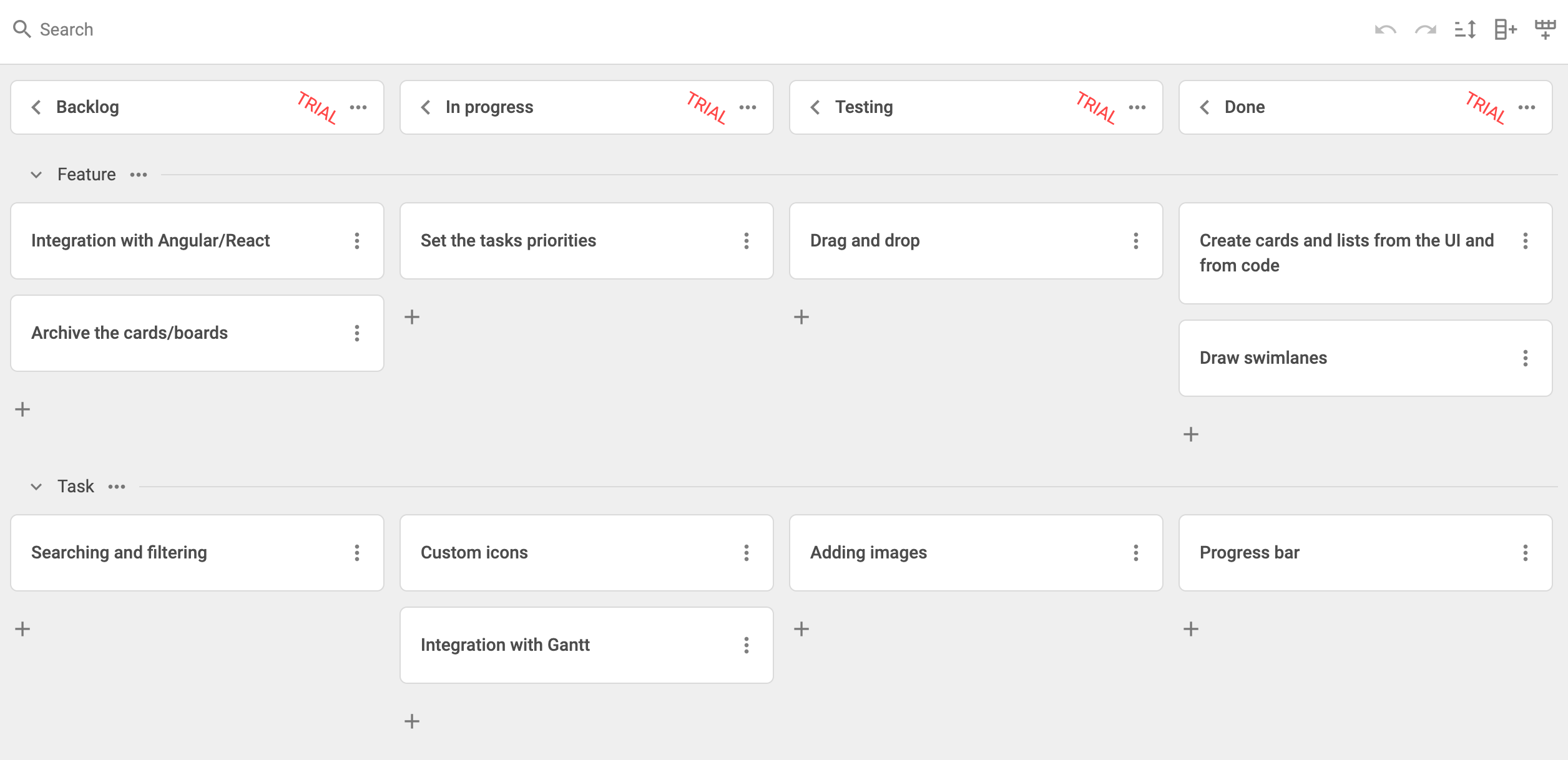
Run the app to view the populated Kanban board on the page.
See the complete project on GitHub.