Filtering Tasks
Filtration allows you to manage the number and character of tasks rendered in the Gantt chart. For example, you can use filtration to display the tasks assigned to a specific worker or the tasks that have the urgent priority.
Note, dhtmlxGantt supports client-side filtering.
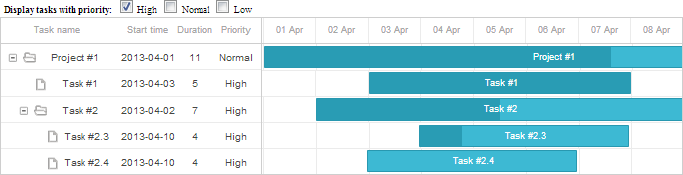
To filter data, use the onBeforeTaskDisplay event and return:
- true, for a task you want to display
- false, for a task you want not to display
Displaying only tasks with the high priority
gantt.attachEvent("onBeforeTaskDisplay", function(id, task){
    if (task.priority == "high"){
        return true;
    }
    return false;
});
To filter data of a split task, apply the onBeforeSplitTaskDisplay event.
You can have a look at the video guide that shows how to implement filtering tasks.
Need help?
Got a question about the documentation? Reach out to our technical support team for help and guidance. For custom component solutions, visit the Services page.