Container
用于附加 HTML 代码的基本控件。
用法
{
    type: "container",
    html: HTMLElement | string,
    wrap?: boolean, // 默认为 false

    css?: string,
    disabled?: boolean, // 默认为 false
    hidden?: boolean, // 默认为 false
    height?: string | number | "content", // 默认为 "content"
    width?: string | number | "content", // 默认为 "content"
    padding?: string | number,

    // 当 `wrap:true` 时,请查看 Fieldset 的标签属性
    label?: string,
    labelWidth?: string | number,
    labelPosition?: "left" | "top", // 默认为 "top"

    // 服务方法
    $layout?: function
}
描述
基本属性
type-(必需)控件的类型,设置为"container"html-(必需)控件的 HTML 内容wrap-(可选)允许显示外部包装。默认值为 falsecss-(可选)为控件添加样式类disabled-(可选)定义控件是启用(false)还是禁用(true)状态。默认值为 falsehidden-(可选)定义控件是否隐藏。默认值为 falseheight-(可选)控件的高度。默认值为"content"width-(可选)控件的宽度。默认值为"content"padding-(可选)设置控件的单元格与边框之间的内边距label-(可选)为控件指定标签labelWidth-(可选)设置控件标签的宽度labelPosition-(可选)定义标签的位置:"left"|"top"。默认值为"top"
服务属性和方法
警告
请注意,我们强烈建议不要重新定义默认类型控件的服务属性和方法,因为这可能会导致其功能出现问题。
$layout-(可选)- 一个回调函数,用于设置控件的结构。返回 Container Form 控件的配置。使用以下参数调用:object- 不包含服务属性的控件配置
示例
const editor = new dhx.DiagramEditor("editor_container", {
    type: "org",
    view: {
        editbar: {
            properties: {
                $default: [
                    {
                        type: "container",
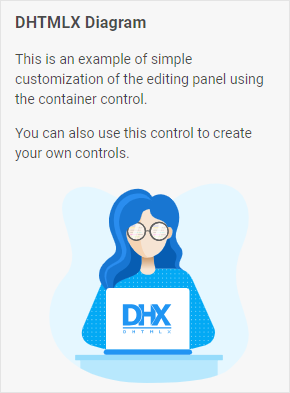
                        html: `
                            <h3>DHTMLX Diagram</h3>
                            <p>This is an example of simple customization of the editing panel using the container control.</p>
                            <p>You can also use this control to create your own controls.</p>
                            <img
                                style='display: block; width: 200px; height: 200px; margin-top: 20px; margin-left: auto; margin-right: auto'
                                src='https://snippet.dhtmlx.com/codebase/data/common/img/01/developer-01.svg'
                            >
                        `
                    }
                ]
            }
        }
    }
});