RTL (오른쪽-왼쪽) 모드
스케줄러는 RTL(오른쪽-왼쪽) 모드를 지원하며, rtl configuration option을 사용하여 활성화할 수 있습니다.
scheduler.config.rtl = true;
RTL 모드를 활성화하면, 스케줄러의 헤더 요소를 제외한 모든 캘린더 요소들이 기본적으로 오른쪽에서 왼쪽으로 표시됩니다.
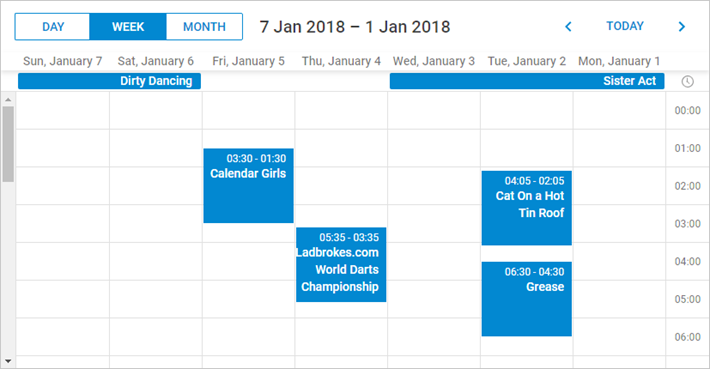
스케줄러 헤더 요소의 순서를 조정하려면, 아래와 같이 해당 CSS 클래스를 커스터마이즈해야 합니다:
<style type="text/css" >
    html, body{
        margin:0px;
        padding:0px;
        height:100%;
        overflow:hidden;
    }

      .dhx_cal_prev_button{right: auto !important; left: 16px !important;}
      .dhx_cal_next_button{right: auto !important; left: 148px !important;}
      .dhx_cal_today_button{right: auto !important; left: 57px !important;}
      .dhx_cal_tab[name="day_tab"]{left: auto !important; right: 16px !important;}
      .dhx_cal_tab[name="week_tab"]{left: auto !important; right: 103px !important;}
      .dhx_cal_tab[name="month_tab"]{left: auto !important; right: 192px !important;}
      .dhx_cal_container_rtl  .dhx_cal_tab {
        border-right-style: solid;
        border-right-width: 1px;
       }
</style>
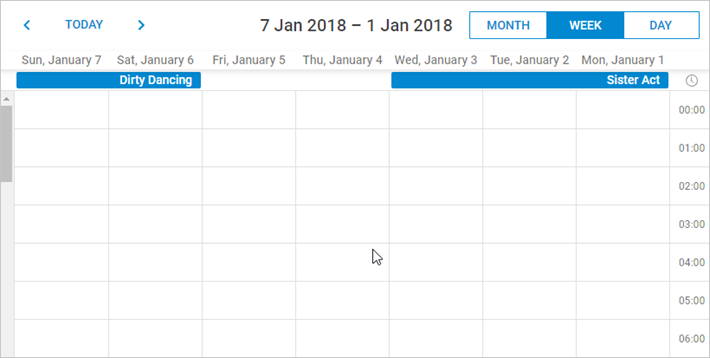
RTL 모드 예시
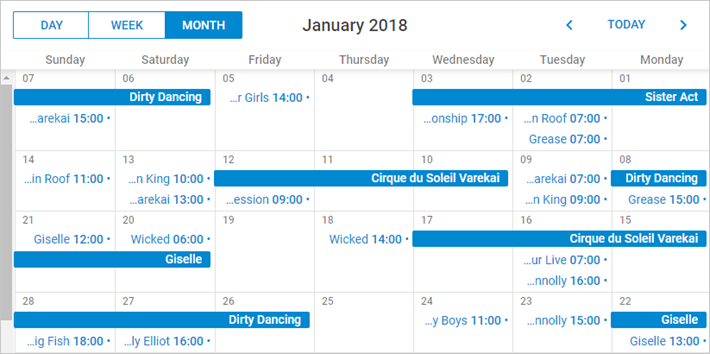
월간 보기(RTL 모드)아래는 RTL 모드에서 월간 보기가 표시되는 방식입니다. 이벤트 제목과 세부 정보가 각 이벤트 박스의 오른쪽에 정렬됩니다.
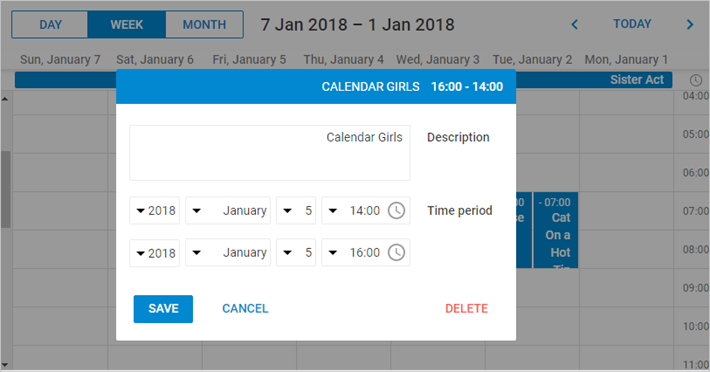
아래 이미지는 RTL 모드가 적용된 경우 이벤트 상세 창이 시각적으로 어떻게 변경되는지 보여줍니다.
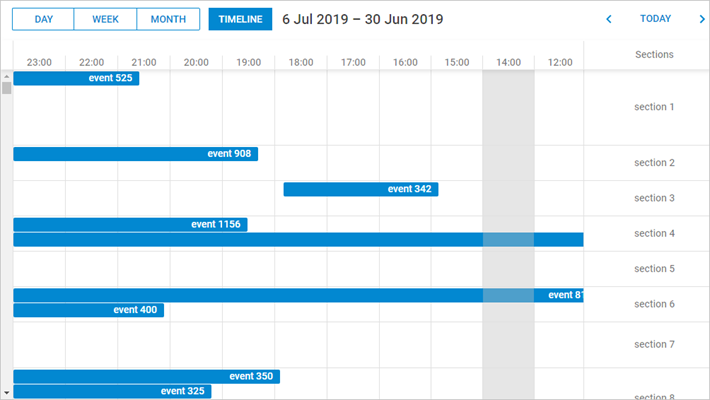
RTL 모드에서는 타임라인이 스케줄러 내에서 자동으로 오른쪽에서 왼쪽으로 정렬됩니다.
RTL 모드에서 요소 커스터마이징
RTL 모드에서 특정 요소를 개별적으로 스타일링할 수 있도록 추가 CSS 클래스가 제공됩니다.
사용 가능한 클래스는 다음과 같습니다:
- dhx_cal_container_rtl - 전체 스케줄러 컨테이너에 적용
- dhx_tooltip_rtl - 툴팁 요소에 적용
- dhx_quick_info_rtl - 'quick info' 팝업에 적용
- dhx_cal_light_rtl - 라이트박스에 적용
예시:
.dhx_cal_container_rtl .dhx_cal_event{
    margin-right: -5px;
}
이 코드는 컨테이너 내의 모든 스케줄러 이벤트를 오른쪽으로 5px 이동시킵니다.
Need help?
Got a question about the documentation? Reach out to our technical support team for help and guidance. For custom component solutions, visit the Services page.