月视图
月视图显示单个月份的日历。
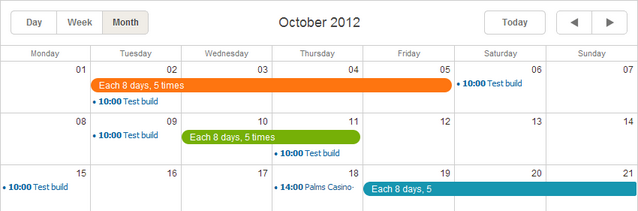
初始化
月视图在基础调度器标记中默认包含,因此无需额外操作即可添加。
// 标准初始化;月视图会自动包含
scheduler.init('scheduler_here', new Date(2019,0,10), "month");
...
scheduler.load("/data/events");
移除月视图标签
如果需要移除月视图标签,只需从scheduler 的标记中删除对应的 div:
// 删除此 div 即可移除月视图标签
<div className="dhx_cal_tab" name="month_tab"></div>
限制单元格中的事件数量
默认情况下,scheduler 会自动调整单元格高度以容纳所有事件。
从 4.0 版本开始,可以控制每个单元格中显示的事件数量,同时也限制了单元格高度。
要设置每个单元格的最大事件数,请使用 max_month_events 选项:
scheduler.config.max_month_events = 3;
..
scheduler.init('scheduler_here', new Date(2019,5,30), "month");
如果事件数量超过设定的上限,将会出现"View more"链接。点击该链接会跳转到日视图,完整显示全部事件。
'View more' link in the Month view
隐藏视图 X 轴上的某些天
如果需要从时间轴上排除某些天(如只显示工作日,隐藏周末),可以使用 ignore_month() 方法。
此函数以单元格日期为参数。对于需要隐藏的日期,返回 true 即可。
// 0 表示周日,6 表示周六
scheduler.ignore_month = function(date){
    if (date.getDay() == 6 || date.getDay() == 0) // 隐藏周六和周日
        return true;
};
Hiding week days in the scale of Month view
将日期数字显示为可点击链接
月视图中的日期数字可以设置为可点击,点击后打开对应日期的指定视图。
要实现日期数字可点击:
- 在页面上启用 active_links 扩展:
scheduler.plugins({
    active_links: true
});
- (可选)设置 active_link_view 选项,指定点击日期时打开的视图类型。默认会打开 Day View:
// 点击日期时打开周视图
scheduler.config.active_link_view = "week";
...
scheduler.init('scheduler_here', new Date(2012,7,6), "month");
通过拖拽调整事件大小(ver. 4.1+)
默认情况下,月视图中无法通过拖拽调整事件大小(只能通过编辑表单)。
如需通过拖拽调整多日事件的大小,请启用 resize_month_events 选项:
// 允许通过拖拽调整多日事件大小
scheduler.config.resize_month_events = true; /*!*/

scheduler.init('scheduler_here', new Date(2019,0,10), "month");
Resizable events in Month view
如需允许通过拖拽同时调整单日和多日事件的大小,还需将 resize_month_timed 选项设为 true:
// 允许通过拖拽调整单日和多日事件大小
scheduler.config.resize_month_events = true;/*!*/
scheduler.config.resize_month_timed = true;  /*!*/
scheduler.init('scheduler_here', new Date(2019,0,10), "month");
请注意:
- resize_month_timed 选项仅在启用 resize_month_events 时有效。
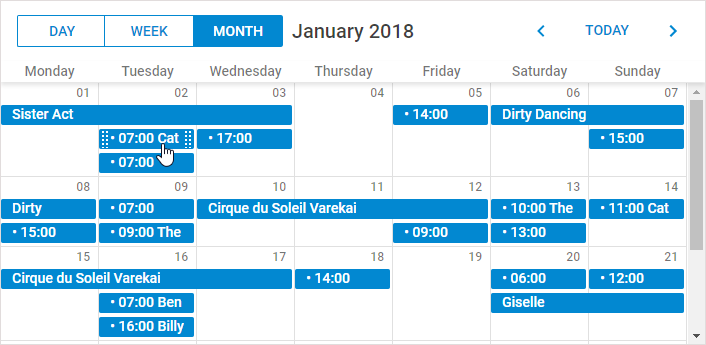
- 启用 resize_month_timed 后,单日事件的显示方式会有所不同:
相关指南
Need help?
Got a question about the documentation? Reach out to our technical support team for help and guidance. For custom component solutions, visit the Services page.