Week Agenda View
info
This view is available in the Scheduler PRO version only.
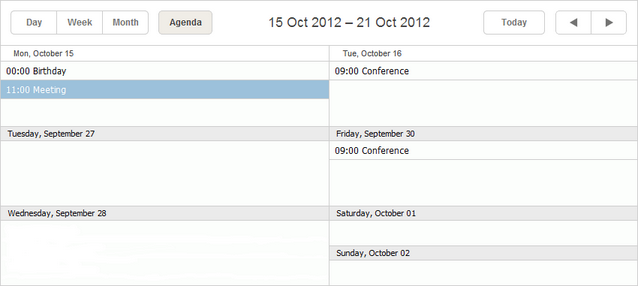
The Week Agenda view is a combination of Week and Agenda views presenting a list of upcoming events within a week.
Initialization
To add the Week Agenda view to the scheduler, follow these steps:
1.Activate the Week Agenda extension on the page:
scheduler.plugins({
    week_agenda: true
});
2.Add the view's tab to the scheduler's markup:
<div id="scheduler_here" class="dhx_cal_container" ...>
    <div class="dhx_cal_navline">
       ...
       <div class="dhx_cal_tab" name="week_agenda_tab" style="right:280px;"></div>
    </div>
    ...
</div>
3.Set the label for the tab:
//'weekAg_tab' is the name of our div
scheduler.locale.labels.week_agenda_tab = "Week Agenda";
GUI details
- Selected events are highlighted. If the selected event occupies several days, all related records are highlighted.
- To create a new event - double click on the cell of a day which will be the holder of the creating event.
- To edit, delete an event - double click on the desired event to open the lightbox and perform the operation.
Related guides
Need help?
Got a question about the documentation? Reach out to our technical support team for help and guidance. For custom component solutions, visit the Services page.