Week View
The Week view displays one or more weeks at a time.
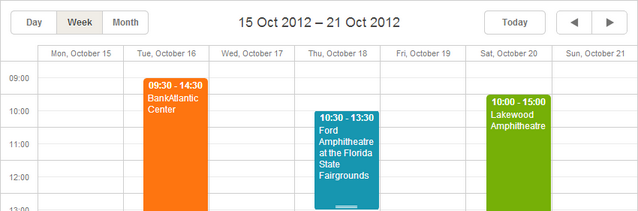
Initialization
The Week view is added to the [basic scheduler's markup](Scheduler Markup) by default. That's why you don't need to provide any extra code for adding the view to the scheduler.
//just usual initialization. The Week view will be added by default
scheduler.init('scheduler_here',new Date(2019,0,10),"week");
...
scheduler.load("/data/events");
Removing the Week view tab
To remove the Week view tab from the scheduler, remove the related div from the scheduler's markup:
//remove this div to remove the Week tab
<div className="dhx_cal_tab" name="week_tab" style={{right: '204px'}}></div>
Hiding days in the X-Axis of the view
To hide some days in the scale, e.g. leave just work days and remove holidays, use the ignore_week() method.
The method is a function that takes the day date as a parameter. To hide a certain day, return true for it.
// 0 refers to Sunday, 6 - to Saturday
scheduler.ignore_week = function(date){
    if (date.getDay() == 6 || date.getDay() == 0) //hides Saturdays and Sundays
        return true;
};
Hiding days in the scale of Week view
Related guides
Need help?
Got a question about the documentation? Reach out to our technical support team for help and guidance. For custom component solutions, visit the Services page.