responsive_lightbox
Description
라이트박스가 작은 화면에서도 부드럽게 조정되도록 활성화합니다
responsive_lightbox: boolean
Example
scheduler.config.responsive_lightbox = true;
Default value: false
Details
이 옵션을 켜면(기본값은 꺼져 있음) 라이트박스에 .dhx_cal_light_responsive CSS 클래스가 추가됩니다.
스케줄러의 내장 스킨들은 모두 미디어 쿼리를 포함하고 있어, 라이트박스가 작은 화면에 잘 적응할 수 있도록 도와줍니다. 구체적으로:
- 모바일 기기에서는 라이트박스가 화면 전체를 채우도록 확장됩니다
- 라벨과 컨트롤들이 화면에 맞게 적절히 크기가 조정됩니다
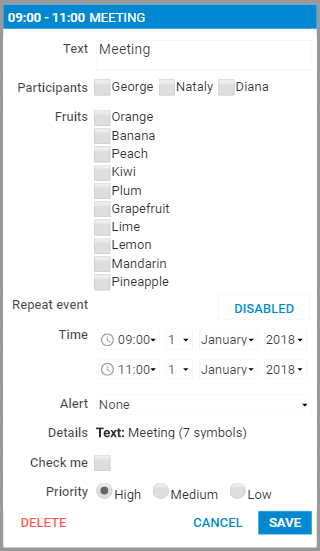
이 기능을 활성화하려면, 다음과 같이 설정하면 됩니다:
scheduler.config.responsive_lightbox = true;
Related Guides
Need help?
Got a question about the documentation? Reach out to our technical support team for help and guidance. For custom component solutions, visit the Services page.