Changing Buttons in the Lightbox
There is a possibility to redefine the default buttons in the lightbox.
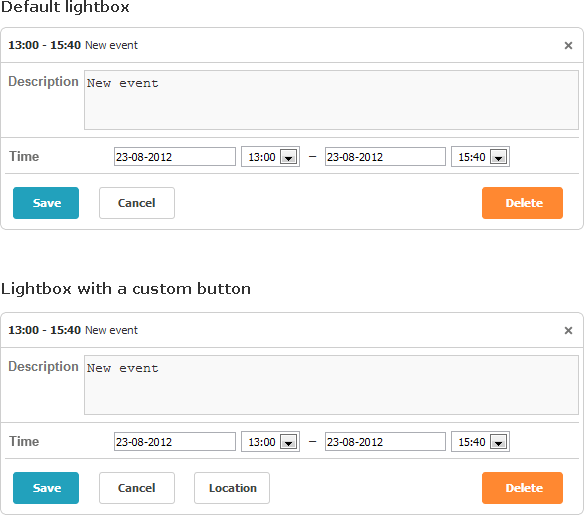
Let's start from the collection where all these buttons are stored.
By default, the lightbox contains 3 buttons ('Save', 'Cancel', 'Delete') that are specified by the buttons_left and buttons_right configuration options.
scheduler.config.buttons_left = ["dhx_save_btn", "dhx_cancel_btn"];
scheduler.config.buttons_right = ["dhx_delete_btn"];
To redefine the default sets of buttons, follow the steps below:
1 . Specify new members of the buttons_left or buttons_right array like this:
scheduler.config.buttons_left = ["dhx_save_btn","dhx_cancel_btn","locate_button"];
2 . Set the button label as follows:
scheduler.locale.labels["locate_button"] = "Location";
3 . Specify the desired colors for the buttons via the following selector - (buttonName)_set. For example:
.dhx_save_btn_set{
    background-color:#4CAF50;
}
Related sample Custom Color for Buttons
4 . Set an icon for a button (and/or apply some other styling) by specifying the CSS class as in:
.locate_button
{
    background-image:url('../../codebase/imgs/location.gif');
    background-position: -2px 0px;
    width:20px;
}
5 . Define the onLightboxButton handler that will treat clicks on the button in the following way:
scheduler.attachEvent("onLightboxButton", function(button_id, node, e){
    if(button_id == "locate_button"){
        alert("Location!");
    }
});