Basic Application
This tutorial describes how to create a basic application and helps to understand the main principles of working with DHTMLX components.
It covers a number of issues related to adding components on a page, displaying data on a page, interaction of components with each other.
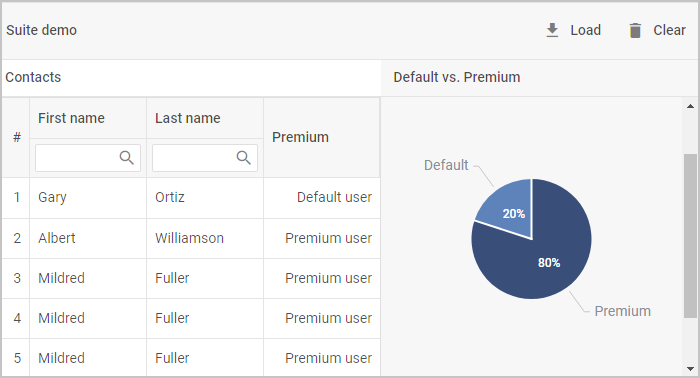
After you finish this tutorial, you'll have a simple app consisting of:
-
a layout that will contain a grid, a toolbar and a chart
-
a grid with a list of users and their personal data (first name, last name, email and etc.)
-
a chart for displaying the number of vip and default users in percentage terms
-
a toolbar for loading users data in the grid and the chart or removing it
note
Download the demo app here.
- tutorial/basic_application/step1.md
- tutorial/basic_application/step2.md
- tutorial/basic_application/step3.md
- tutorial/basic_application/step4.md
- tutorial/basic_application/step5.md
- tutorial/basic_application/step6.md
- tutorial/basic_application/step7.md