Large Buttons for Easier Navigation
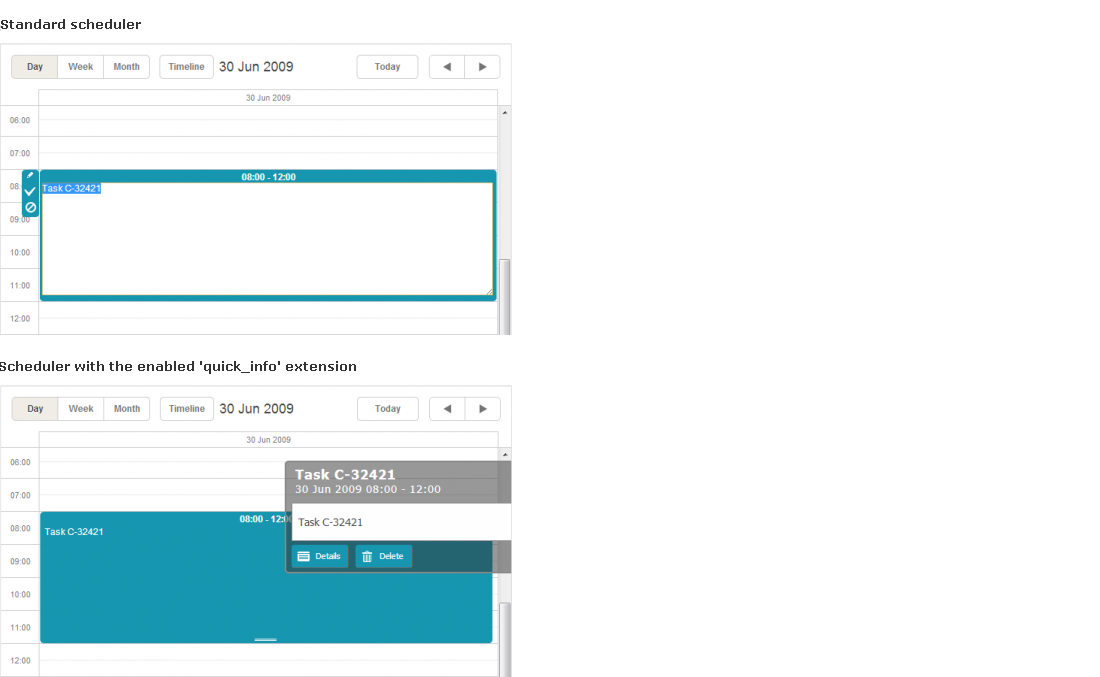
Starting from version 3.7, dhtmlxScheduler provides the new "Quick Info" extension. The extension gives the possibility to replace standard sidebar buttons and simplified edit form with new (bigger and handier) ones.
Activating the big-buttons scheduler
To activate the big-buttons scheduler, enable the "Quick Info" extension on the page:
<script>
    scheduler.plugins({
        quick_info: true
    });
    scheduler.init('scheduler_here',new Date(2009,5,30),"day");
    ...
<script>
Once the extension is enabled, the scheduler automatically replaces standard buttons with large-size ones:
Configuring and customizing the big-buttons scheduler
To configure or customize the big-buttons scheduler, you have the following APIs:
-
3 templates
-
quick_info_content - specifies the content of the pop-up edit form
-
quick_info_date - specifies the date of the pop-up edit form
-
quick_info_title - specifies the title of the pop-up edit form
-
1 configuration option
-
quick_info_detached - defines whether the event form will appear from the left/right side of the screen or near the selected event
-
2 methods
-
hideQuickInfo - hides the pop-up event form (if it's currently active)
-
showQuickInfo - displays the pop-up event form for the specified event