Hiding Time Units in X-Axis of View
The library provides the possibility to hide unnecessary time units in the horizontal scale of a view. You can use this possibility, for example, to display only working days and hide weekends.
Technique
Generally, to hide a time unit in the scale of a view (an hour in the Timeline view, a day in the Week view etc.) you need to use the ignore_(viewName) method. The method is a function that takes the unit's date as a parameter. To hide a unit - return true for it.
For example, to hide weekends from the Month view you should use the method as in:
// 0 refers to Sunday, 6 - to Saturday
scheduler.ignore_month = function(date){
    if (date.getDay() == 6 || date.getDay() == 0) //hides Saturdays and Sundays
        return true;
};
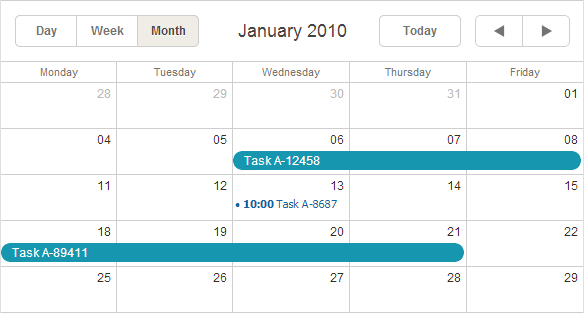
Hiding week days in the scale of Month view
Displaying a marker at the place of hidden scale units
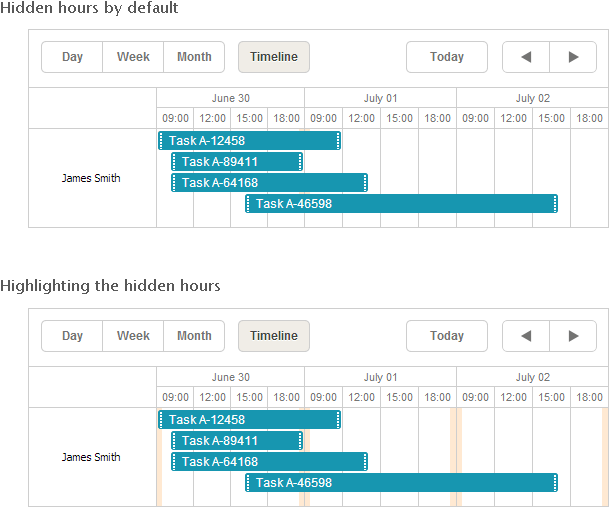
To highlight the place where you hide scale units, use the addMarkedTimespan method. For example, in the Timeline view we preserve hours from 10:00 till 18:00 and hide the remaining ones. To highlight the place of omitted hours, we will use a marker of 40-minute duration: 20 minute in each of bordering cells.
.yellow_section {
    background-color: #ffa749;
    opacity: 0.25;
}
scheduler.addMarkedTimespan({
    days: "fullweek",
    zones:[9.5*60, 20.5*60],
    invert_zones:true,
    css: "yellow_section"
});