This tutorial walks you through using the dhx.proxy component to make your app work offline. It won't cover how to build a standard DHTMLX app but specificates how to optimize such an app to run offline (when a network is unavailable).
To start this tutorial you must have a complete running DHTMLX app.
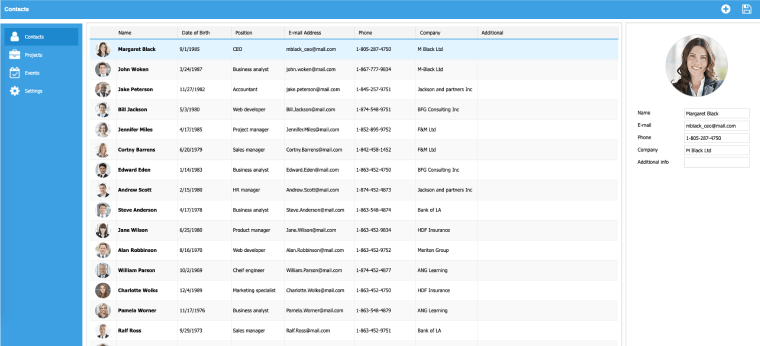
Let's assume it's a grid integrated with server-side, i.e. loads data from DB and saves changes back.
Shortly, the code of this app can look like this:
<script> mygrid = new dhtmlXGridObject('gridbox'); mygrid.setImagePath("../../../dhtmlxGrid/codebase/imgs/"); mygrid.setHeader("Sales,Book Title,Author,Price"); mygrid.setColTypes("ed,ed,ed,ed"); mygrid.init(); mygrid.load("data.php"); myDataProcessor = new dataProcessor("data.php"); myDataProcessor.init(mygrid); </script>
So, you have an application and want it to be accessible offline. A means which will help you to implement this is dhx.proxy. What's is it? It's a DHTMLX library allowing you to send web requests via the proxy object and store the latest successful data files and unsuccessful web requests locally. In practice, it's a pretty easy-to-use component and you can prove it.
To make some app access data offline you must do 3 steps:
To start work with dhx.proxy, 2 additional files must be included. They are:
<script src="codebase/offline.js"></script> <script src="codebase/proxy.js"></script>
The dhx.proxy constructor has only 2 parameters:
var source = new dhx.proxy({ url: "data/proxy.php",// the datafeed url storage: dhx.storage.cookie// the data storage type });
In our example, we have 2 components that must be integrated with dhx.proxy:
<script> var source = new dhx.proxy({...}); ... mygrid.load(source); myDataProcessor = new dataProcessor(source); myDataProcessor.init(mygrid); </script>
dhx.proxy answers for caching the entered data. That's enough but only if users don't refresh the page while the app is offline. If the page is refreshed, the application resources such as js, css files, images won't be available.
HTML5 solves this problems by providing the ApplicationCache interface which allows developers to list the resources that the browser should cache for offline access.
Combined use of dhx.proxy and the ApplicationCache interface ensures correct running under any circumstances.
To enable the application cache for your app, include the manifest attribute on the document's html tag:
<html manifest="manifest.appcache"> .. </html>
Note, the manifest attribute must be included on every page of your app that should be cached. In our case, the cache manifest file will look like this:
CACHE MANIFEST # version 15 CACHE: codebase/dhtmlx.css codebase/connector.js codebase/dhtmlx.js codebase/imgs/sort_desc.gif codebase/imgs/sort_asc.gif codebase/imgs/sky_blue_grid.gif codebase/imgs/sky_blue_sel.png codebase/imgs/item_chk1.gif codebase/imgs/item_chk0.gif codebase/offline.js codebase/proxy.js NETWORK: data/proxy.php
Important!
Congratulations! You’ve optimized your app and don't depend on the state of the network anymore.
What can we offer you else?